
CRM import clean-up
Who it's for: anyone about to load a list into a CRM — contacts moving out of spreadsheets, a trade-show or partner list, exports from older tools.
The problem: an import copies the file as it is. A contact listed twice becomes two records, and names in capitals or phone numbers in three formats land in the fields your team sorts and segments by.
What Cleansable does:
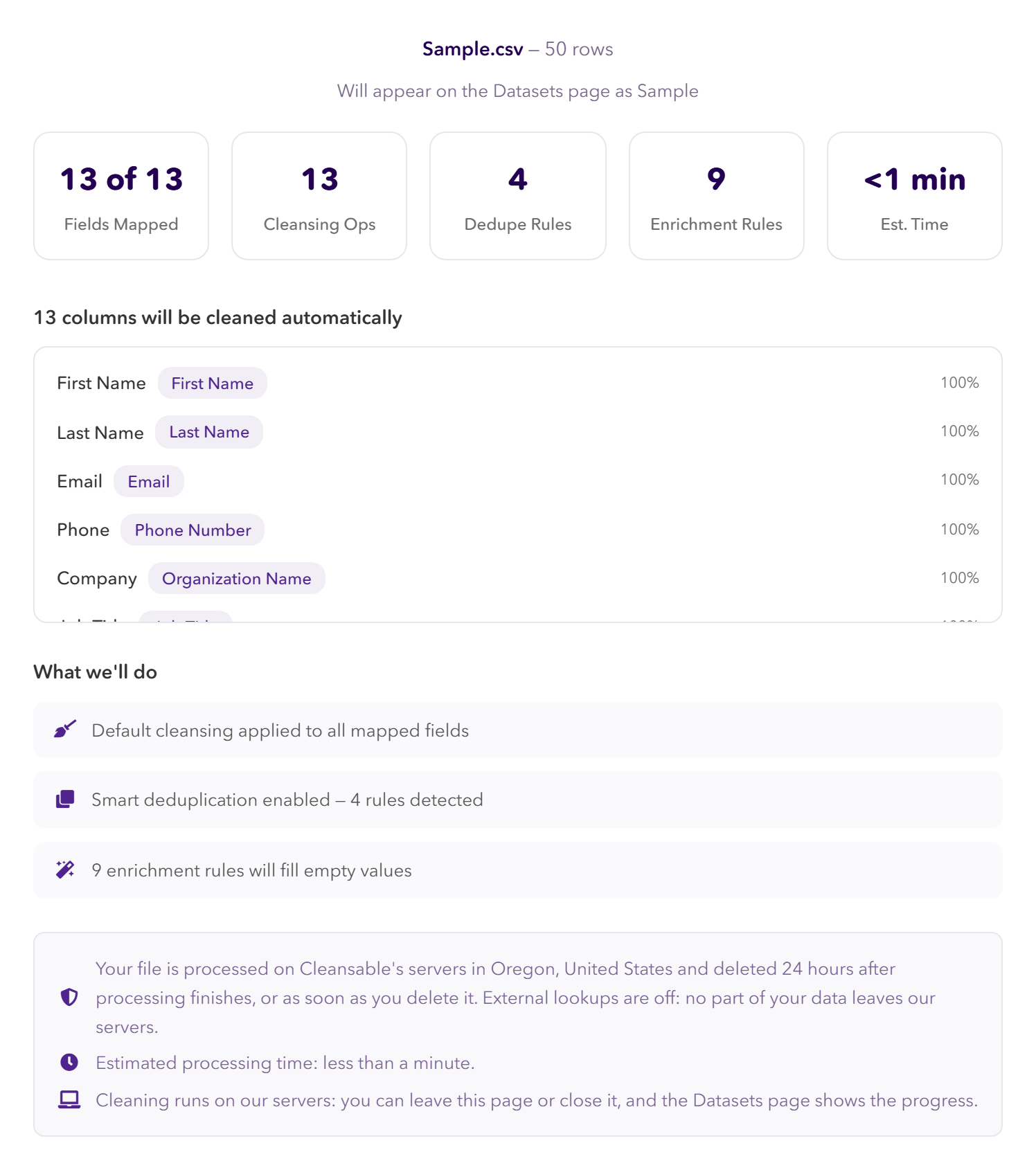
- Recognizes what each column holds, from 60+ field types, and shows everything Quick Clean will do before it runs.
- Fixes what an import is fussy about: names in proper case (smith, JOHN jr becomes John Smith Jr.), emails in lower case with common typos fixed, phone numbers in one format, states and countries written one way.
- Flags duplicate contacts — the same email, the same phone number with a similar name, a similar name at the same company — and gives each group a Dupe ID.
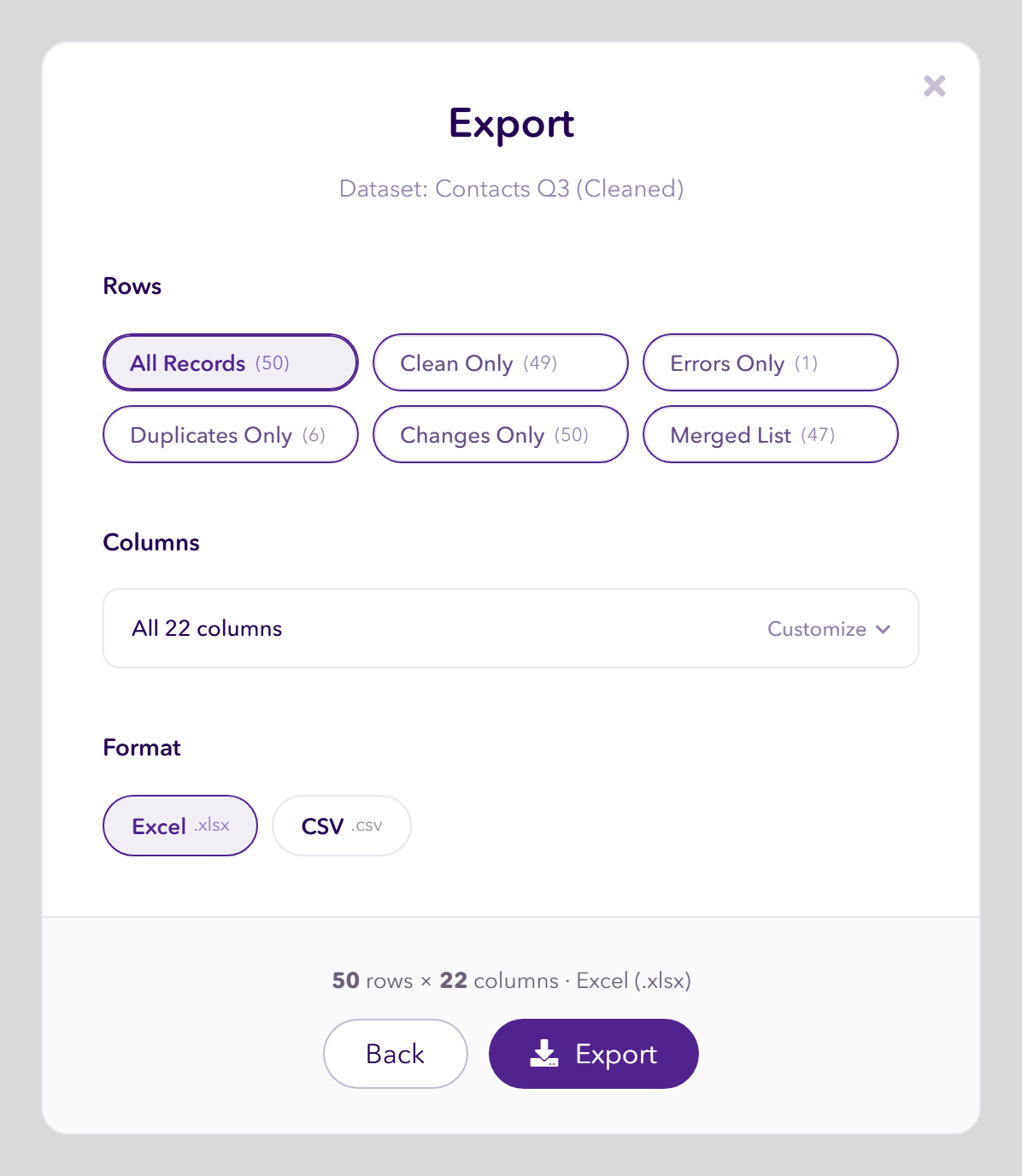
- Exports CSV or Excel: Clean Only for the rows without errors, Errors Only for the rows to fix, Duplicates Only to choose which record to keep — and, with a free account, the merged file, a separate export with one row per duplicate group, ready to import.
To catch contacts your CRM already has, add an export of them to the same file: Cleansable compares the rows within one file.
Email list hygiene before a campaign
Who it's for: marketers, nonprofits and small businesses sending newsletters and campaigns to a list exported from a CRM, a sign-up form or a spreadsheet.
The problem: mistyped and malformed addresses bounce, and a high bounce rate can hurt the delivery of everything you send next. People on the list twice get every email twice.
What Cleansable does:
- Clean Email, on by default, lowercases each address and fixes the mistakes that are safe to fix: John.Doe@GMAIL..com becomes john.doe@gmail.com, and a misspelled domain such as gmial.com becomes gmail.com.
- Addresses it can't fix — no @, two @ signs, no domain ending — are marked in an error column, and Errors Only exports them for you to correct.
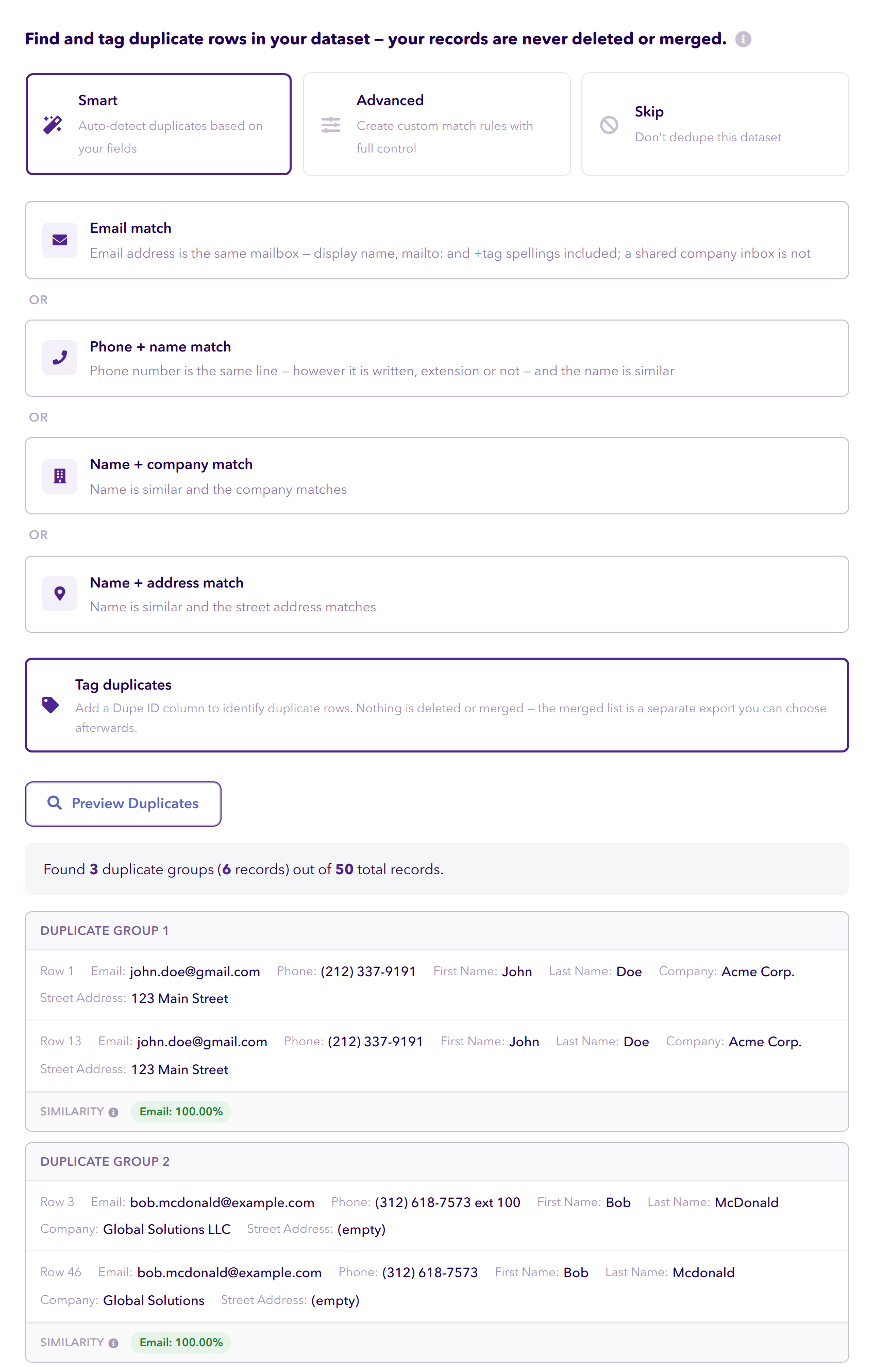
- The email match flags the same mailbox written different ways — with a display name, mailto: or a +tag — so each person can get one email. A shared inbox such as info@ isn't counted as one person.
- Exports the cleaned list as CSV or Excel for your email tool.
Cleansable sends no test emails and contacts no mail server, so it can't tell you that a particular mailbox exists.
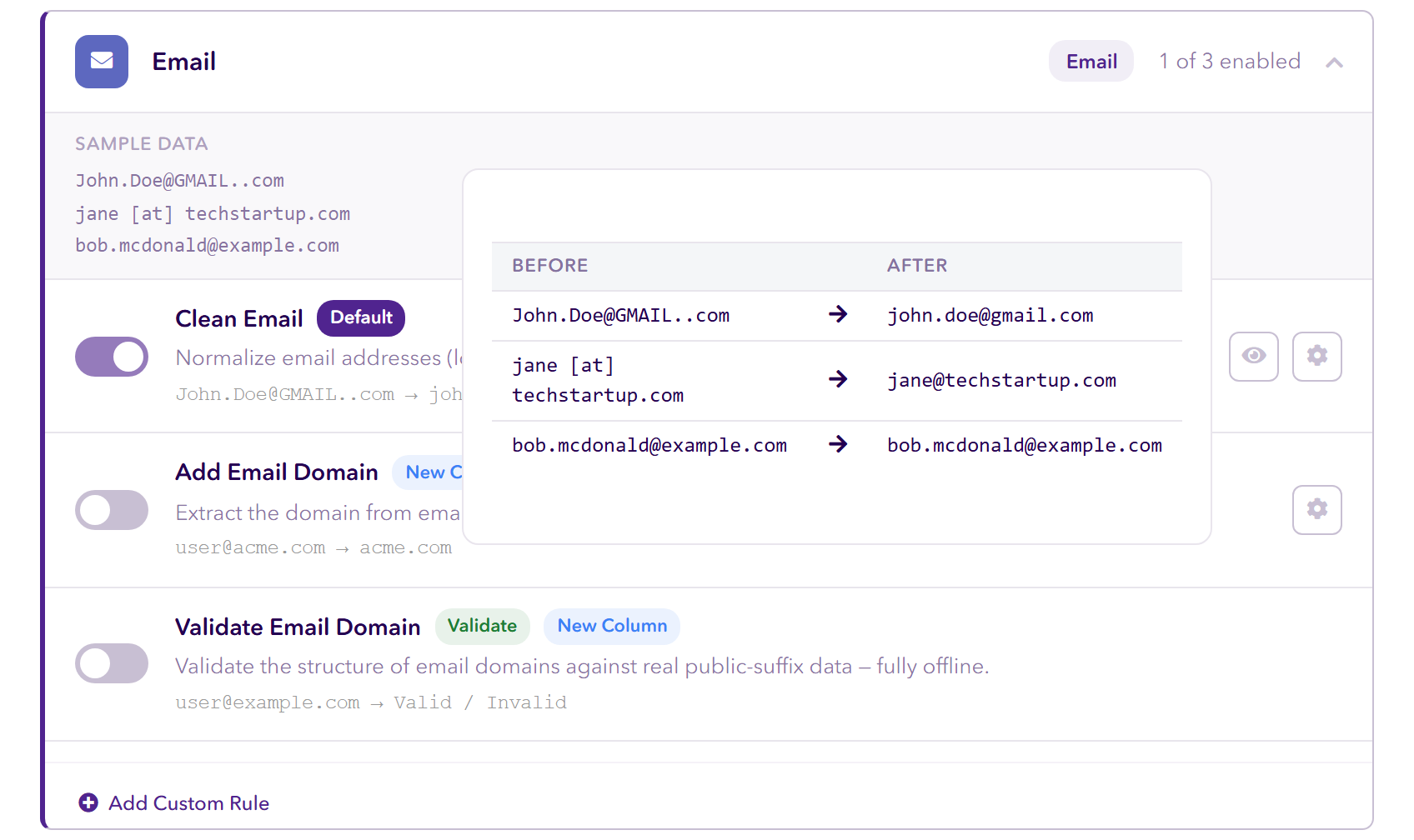
Two more email operations are a switch away: Add Email Domain copies each address's domain into a column of its own, and Validate Email Domain checks it against the public list of domain endings, with no lookup.
Event and webinar attendee lists
Who it's for: event organizers, webinar hosts, associations and nonprofits combining registration, check-in and attendance exports.
The problem: people register twice — from a work and a personal address, or with a typo the second time — and merged exports repeat them again. Head counts come out too high, and the follow-up reaches some people twice.
What Cleansable does:
- Smart mode looks past the email address: the same phone number with a similar name, or a similar name at the same company or street address, can catch someone who registered from two addresses.
- Fuzzy matching allows for small spelling differences, and name matching knows common nicknames, such as Bob for Robert. In Advanced mode you set how close a match must be, or match names by how they sound.
- Each group shares a Dupe ID, so you can sort the list and keep the right row; your records are never deleted or merged. Duplicates Only exports just the people who appear more than once, and with a free account the merged file, a separate export you choose, keeps one row per person.
- Names go into proper case and emails are cleaned, so the follow-up greets John, not JOHN.
Spreadsheet deduplication
Who it's for: anyone with a CSV or Excel list that has grown by copy and paste — customers, suppliers, members, donors, products.
The problem: a spreadsheet's built-in duplicate tools catch identical values, so an extra space, a nickname or a phone number written another way hides a duplicate. Checking a long list by eye is slow, and easy to get wrong.
What Cleansable does:
- Smart mode reads contact and company columns and picks the match rules. For any other list, Advanced mode lets you choose the columns and how to compare them: exact, fuzzy with a similarity threshold, or phonetic for names.
- A rule can combine columns, such as a name and a city, and a full-name column can be matched against first- and last-name columns.
- In Guided Mode, Preview Duplicates shows the groups, and how similar each match is, before anything runs.
- Every group shares a Dupe ID in a new column; nothing in your records is deleted or merged. Export Duplicates Only to review them, every row with its Dupe ID to sort in your spreadsheet, or, with a free account, the merged file: a separate export with one row per group.
Whatever the job, your file is deleted from our servers within 24 hours of the run: see Security & privacy.