
Data enrichment adds information that's missing from the records you already have: a country for a contact who has none, the city that goes with a ZIP code, the seniority behind a job title. There are two very different ways to do it. You can work out a missing value from data that's already in the file, or you can bring in data from an outside source. Both are called enrichment, but they differ in cost, in coverage and, above all, in privacy.
Why it matters
- Segmentation. You can't send by region, time zone or industry when those columns are half empty.
- Routing. Leads are assigned by state, country or territory, and a blank sends a lead to the wrong person, or to no one.
- Personalization. A first name and the right salutation make a message read as if it was written for one person.
- Reporting. A breakdown by country is only as good as the share of rows that have a country.
- Imports. Many CRMs require certain fields, and rows without them are rejected.
Filling gaps from the data you already have
A surprising amount of what's missing is implied by what's there. Rule-based enrichment reads one field and fills in another:
- a country from a phone number's country code (+44 is the United Kingdom);
- a city, county and state from a ZIP code (90210 is Beverly Hills, California);
- a first and last name from an email address such as jane.doe@acme.com;
- a company's web domain from a work email or a website address;
- a likely gender and a salutation from a first name;
- a seniority and a department from a job title.
It's quick, it costs nothing per record, and nothing has to go to a data provider. The limit is that it can only fill what the data implies: no rule can find a phone number that isn't there. Good rules also know when not to answer: a first name used by men and women alike shouldn't be given a gender.
Buying data from outside sources
The other kind of enrichment sends your records to a data provider, which matches them against its own database and sends back what it knows: company size, revenue and industry, job titles, direct phone numbers, social profiles. It can add facts you simply don't have. But it costs money per record or per month, coverage varies by country and industry, and bought data goes stale as people change jobs, so it needs refreshing.
The privacy difference
The biggest difference between the two is where your data goes. When values are worked out from your own file, nothing needs to go to a data provider. When you buy enrichment, you send your contacts' names, email addresses or companies to another business, which may keep them, combine them with other sources or use them to build its own database. Privacy laws such as the GDPR and California's CCPA have rules about sharing personal data, so before you upload a list, ask the provider what it keeps, for how long and for what purpose, and check what your own privacy notice says.
Good practice, whichever you choose
- Fill empty cells only, and never overwrite a value someone entered.
- Mark what was filled in, so inferred values can be told apart from original ones.
- Prefer “not found” to a guess.
- If you buy data, refresh it regularly: job titles and phone numbers go out of date quickly.
How Cleansable does it
Cleansable does the first kind only. Its 20 fill-in rules work from data already in your file, with no outside lookups:
- a domain from an email address or a website;
- a country and time zone from a phone number, and a state or province from a US or Canadian one;
- a first and last name from an email address;
- a gender and a salutation from a first name;
- a city, county, state, country and time zone from a US ZIP code;
- a country and time zone from a state or province;
- a county and ZIP code from a US city and state;
- a seniority and a job function from a job title.
The rules write into empty cells only, or into a new column when your file doesn't have one; a value that's already there is never overwritten. When the answer isn't certain, such as a name used by men and women alike or an area code that spans two time zones, the cell stays empty. An Enrichment column for each filled field marks every attempt Enriched or Not Found, so you can always tell a filled-in value from one that was already there.
Quick Clean picks the rules that fit your columns and shows everything it will do before it runs; here, nine fill-in rules for a 50-row sample file:
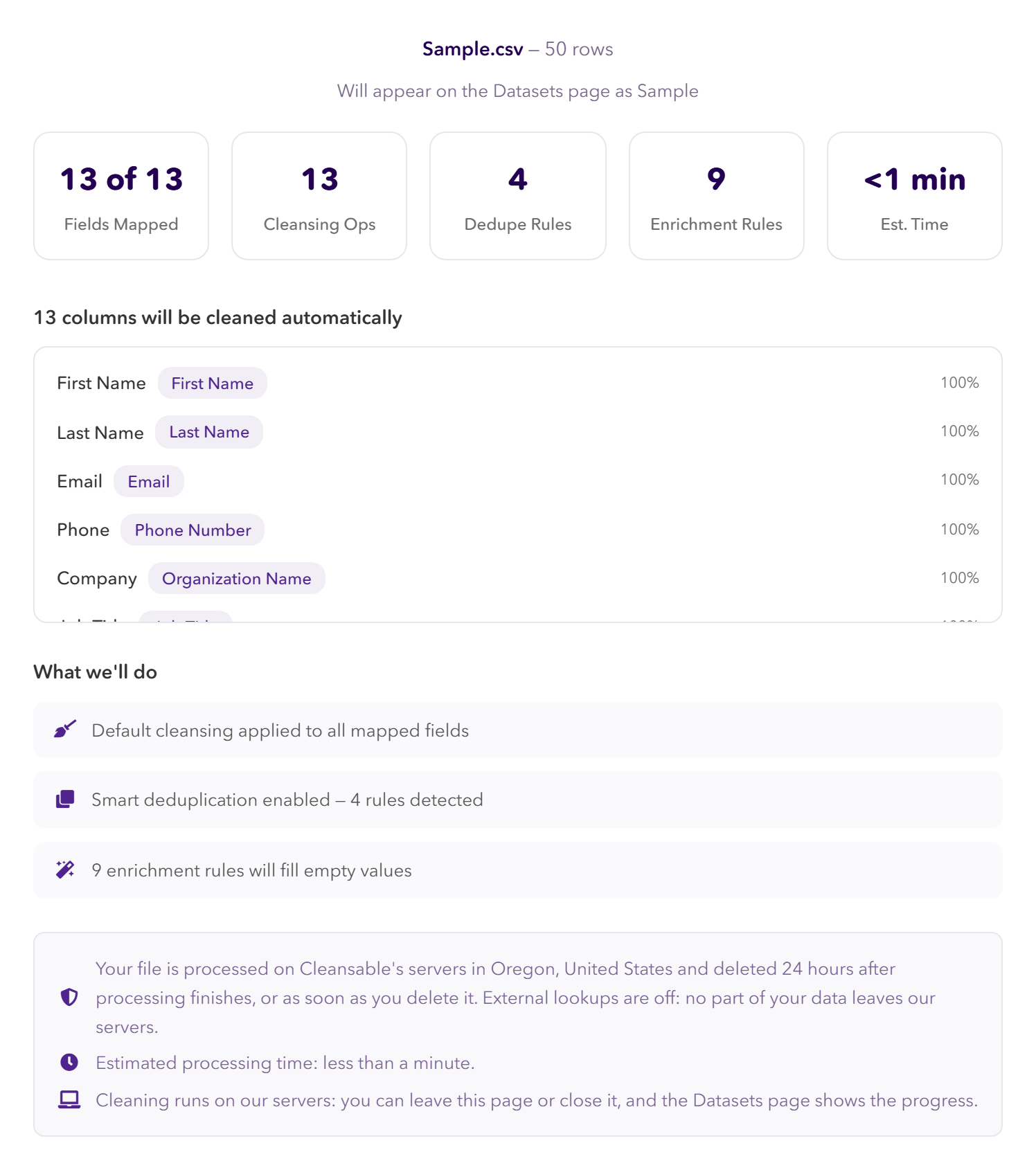
Like the rest of Cleansable, the rules run on our servers in Oregon (US), with no AI. Your file is deleted 24 hours after the run, its rows are never written to our database, logs, error reports or backups, and every run comes with a privacy receipt that records what ran and whether anything was looked up outside. If you need facts your file doesn't hold, such as company size or direct phone numbers, that's a job for a data provider, with the privacy questions above.
Keep reading
- How to prepare a list for a CRM import: clean the list, flag the duplicates and fill the gaps before an import.
- What is data cleansing?: the fixes that give fill-in rules clean values to read.
- Frequently asked questions: where your data is processed, and for how long.
- Security & privacy: what happens to your file, and what we keep.
More guides and explainers: Resources.